TD SYNNEX · Enterprise Platform
Tenant Enablement
Making Microsoft tenant information and management workflows easier to navigate within a complex platform.
Separating purchasing from account management
StreamOne® is a cloud commerce platform supporting provisioning, billing, and cloud account management. Tenant Enablement was a feature enhancement designed to give resellers and end customers a dedicated place to manage Microsoft tenants.
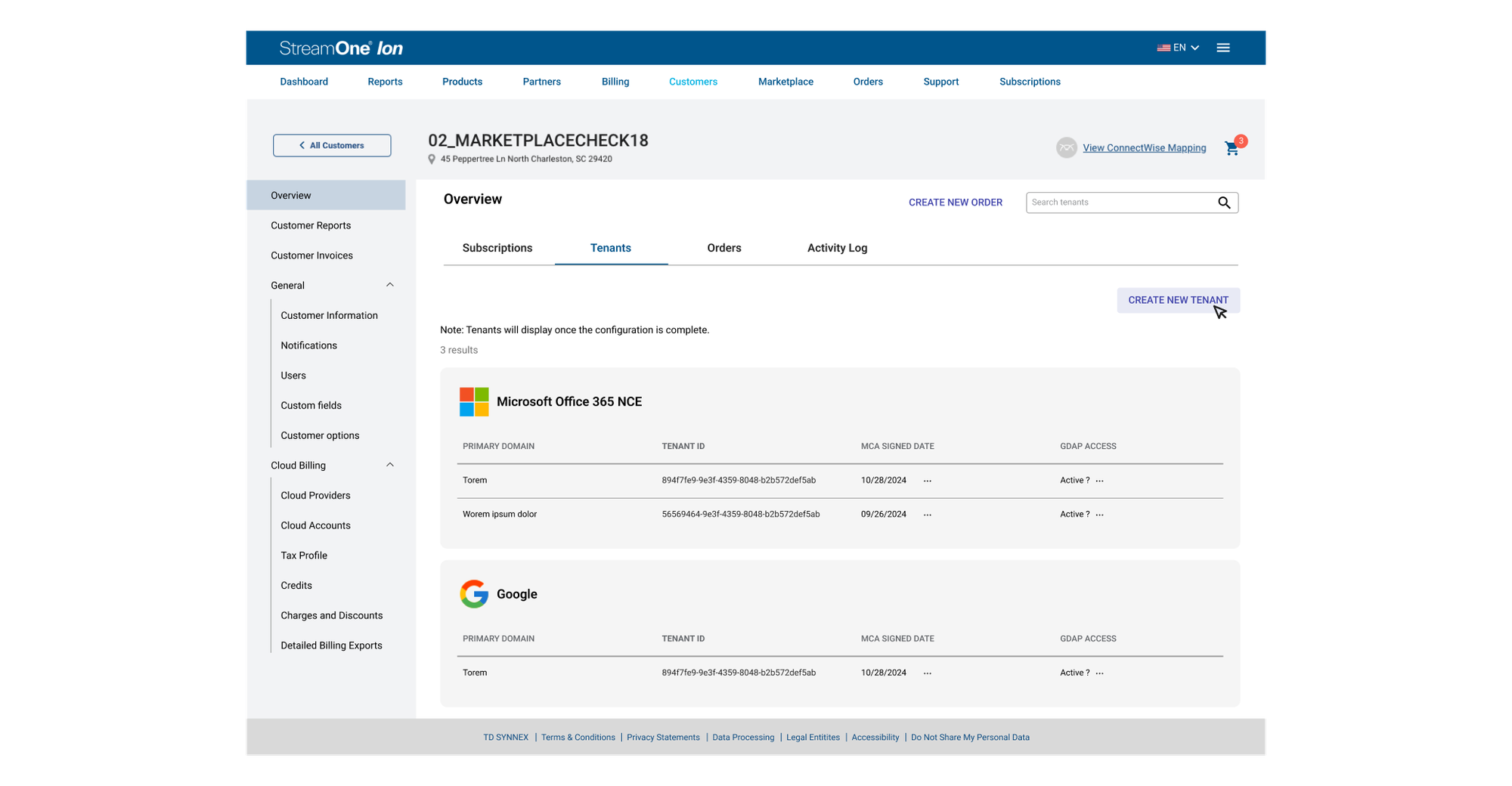
Previously, tenant configuration was embedded in the subscription purchasing flow. The redesign introduced a dedicated Tenants tab in the Customer Overview, so users could access tenant information and administrative actions independently of checkout.
Tenant configuration was interrupting the purchasing experience.
Without a dedicated tenant management destination, resellers encountered Microsoft account setup while buying cloud products. Tenant-related information and actions were also located within customer cloud provider settings, making ongoing administration less straightforward.
Interrupted checkout
Account configuration appeared as a prerequisite to placing an order.
Fragmented information
Microsoft identity and agreement details were embedded within provider-specific settings.
Ongoing administration
Users needed easier access to MCA, GDAP, customer details, and special qualifications.
Follow the friction through checkout
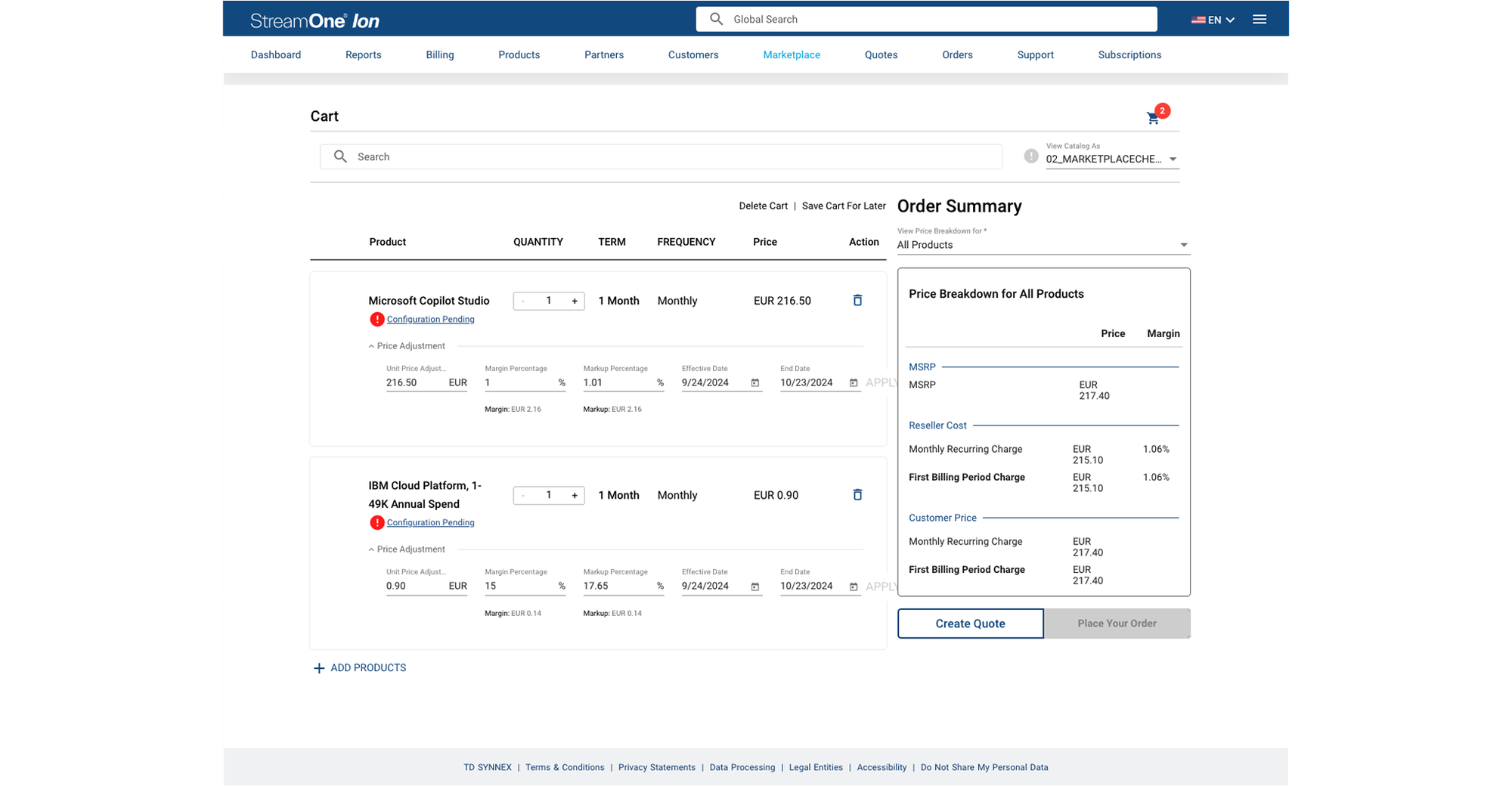
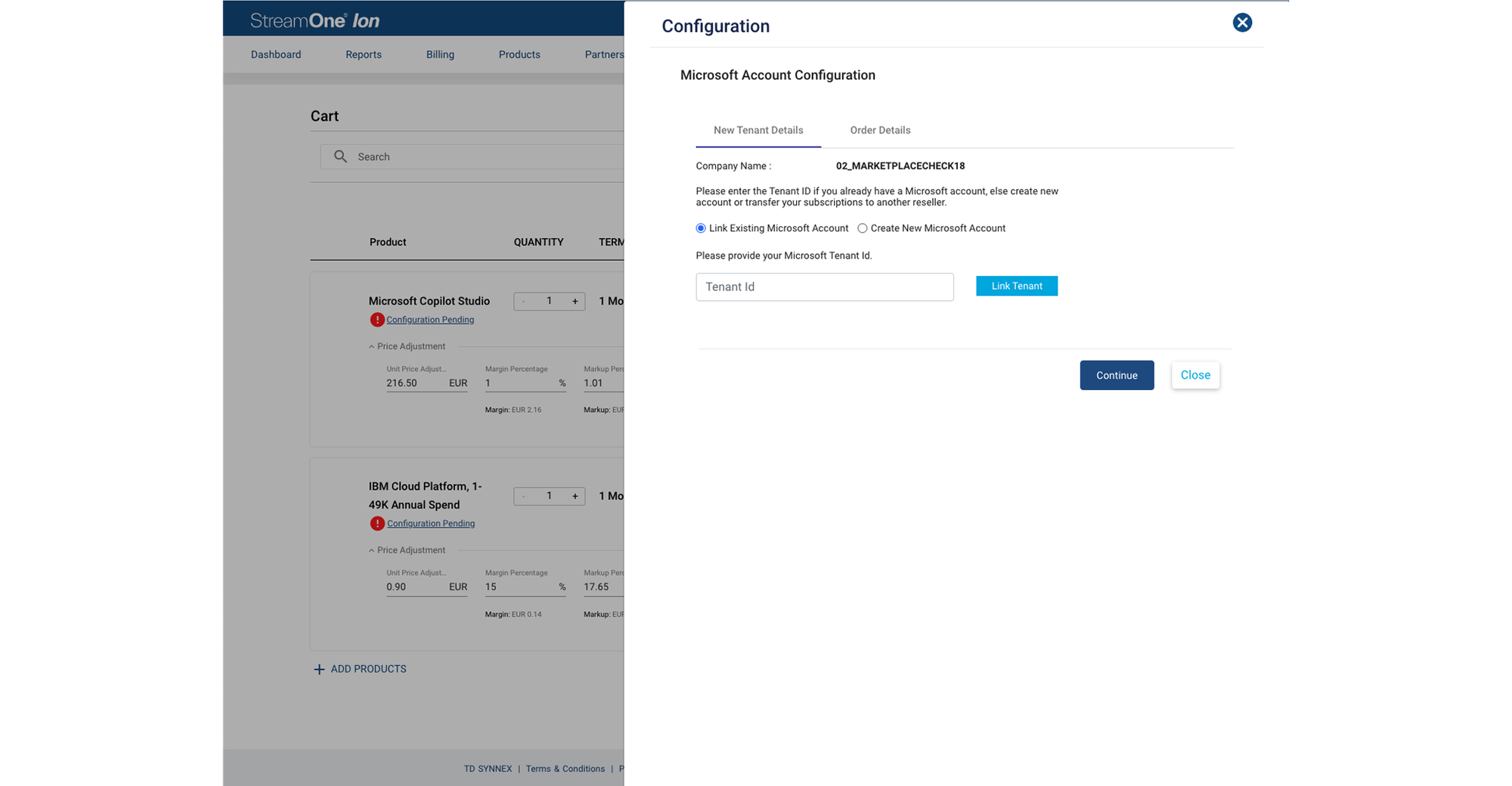
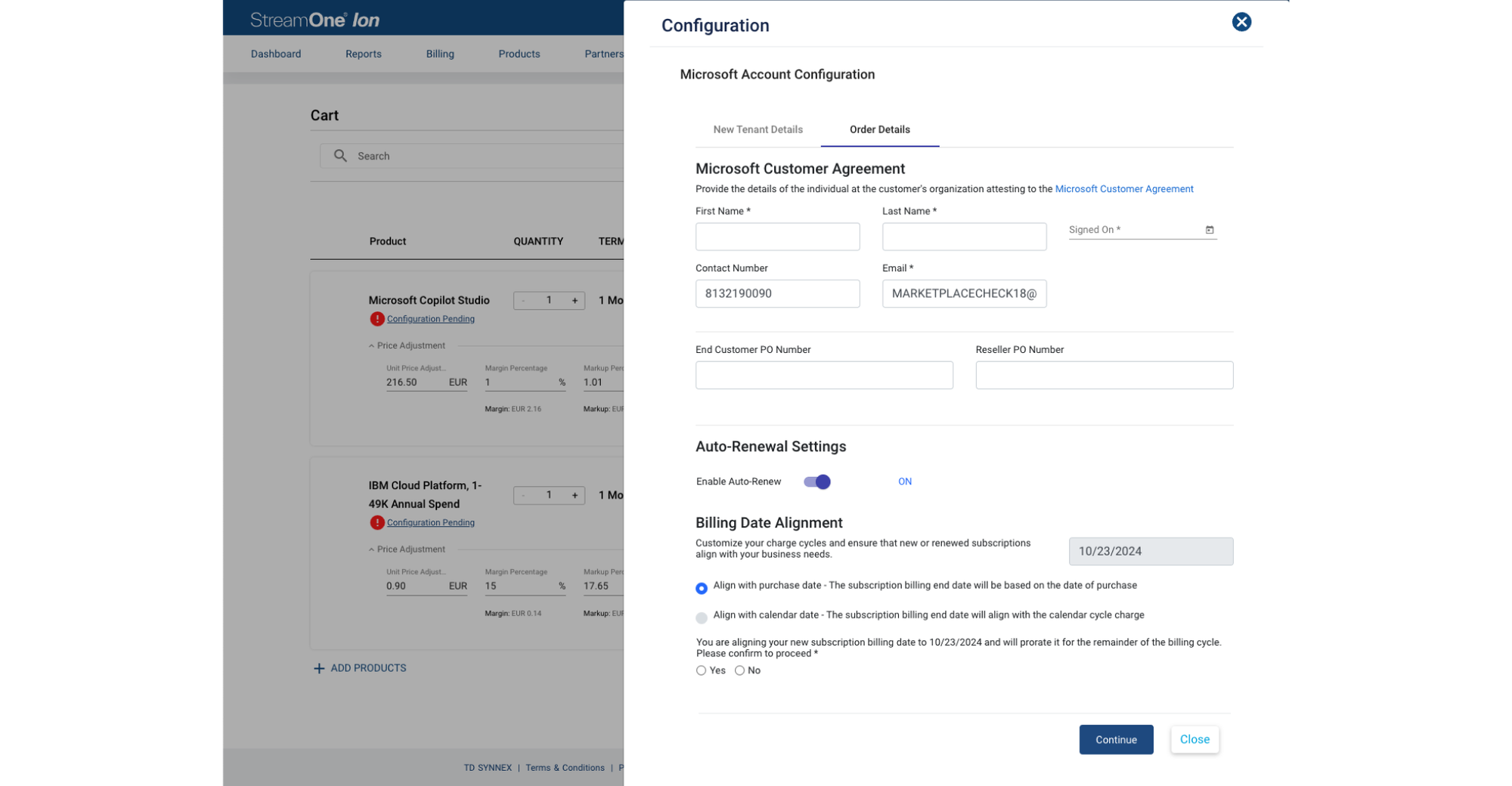
In the original cart, “Configuration Pending” appeared beneath products and the order button was unavailable until configuration was completed. Users opened a side panel to link a Microsoft account and provide agreement and order information.
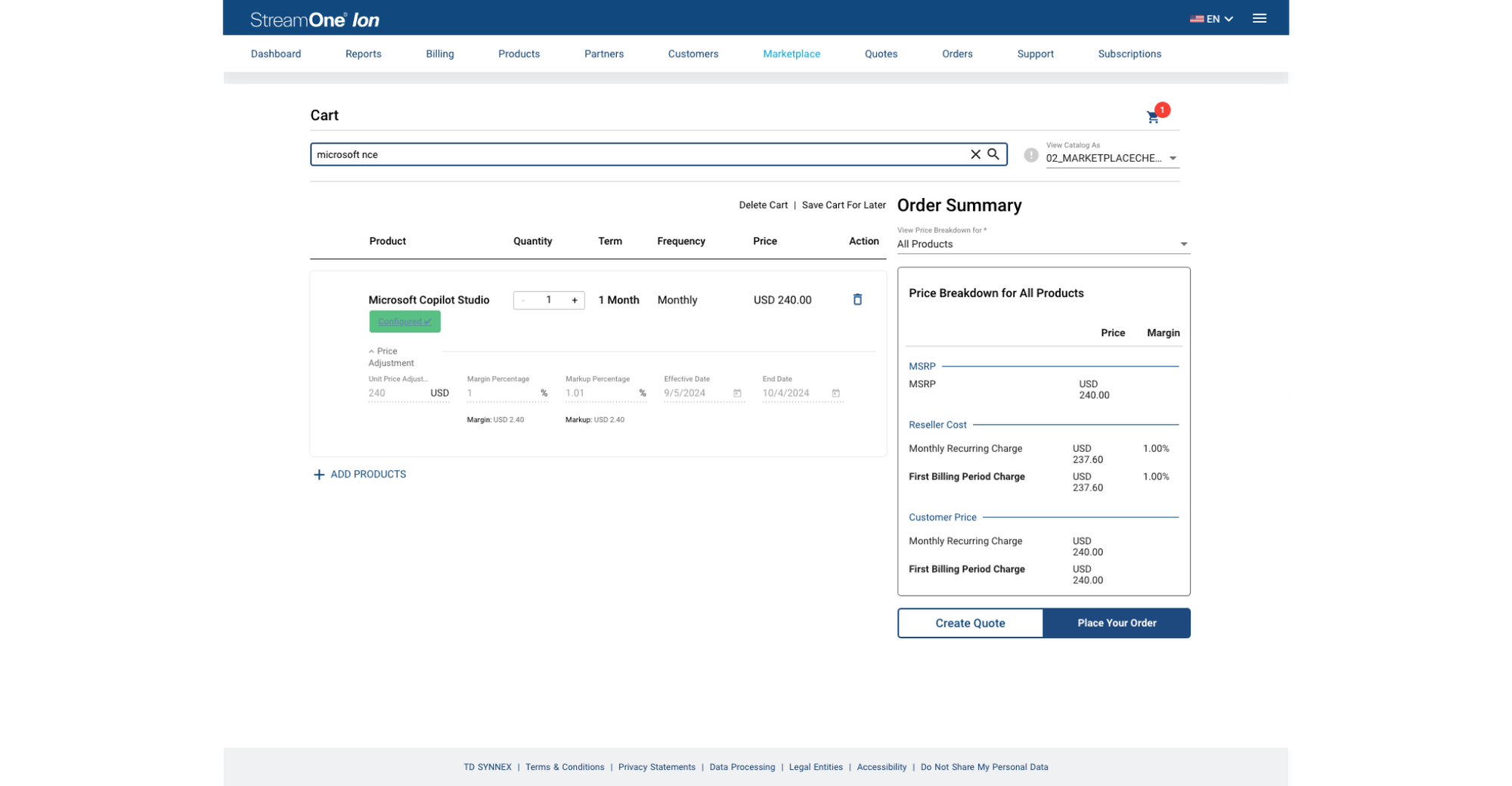
Tenant information lacked a dedicated destination.
Outside checkout, customer cloud providers contained Microsoft identity and agreement information. These screens helped reveal the opportunity to make tenants a first-class part of the customer experience.
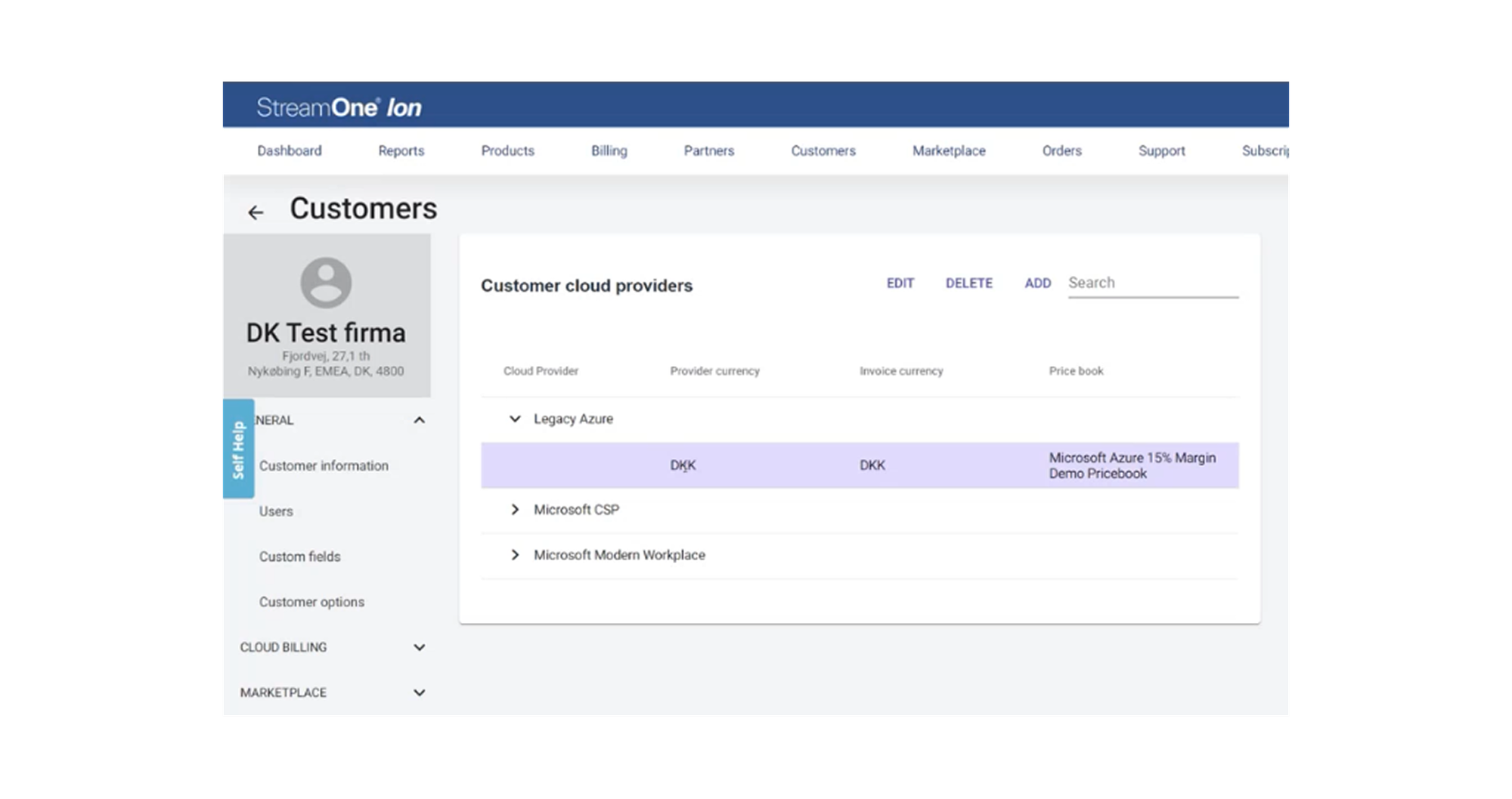
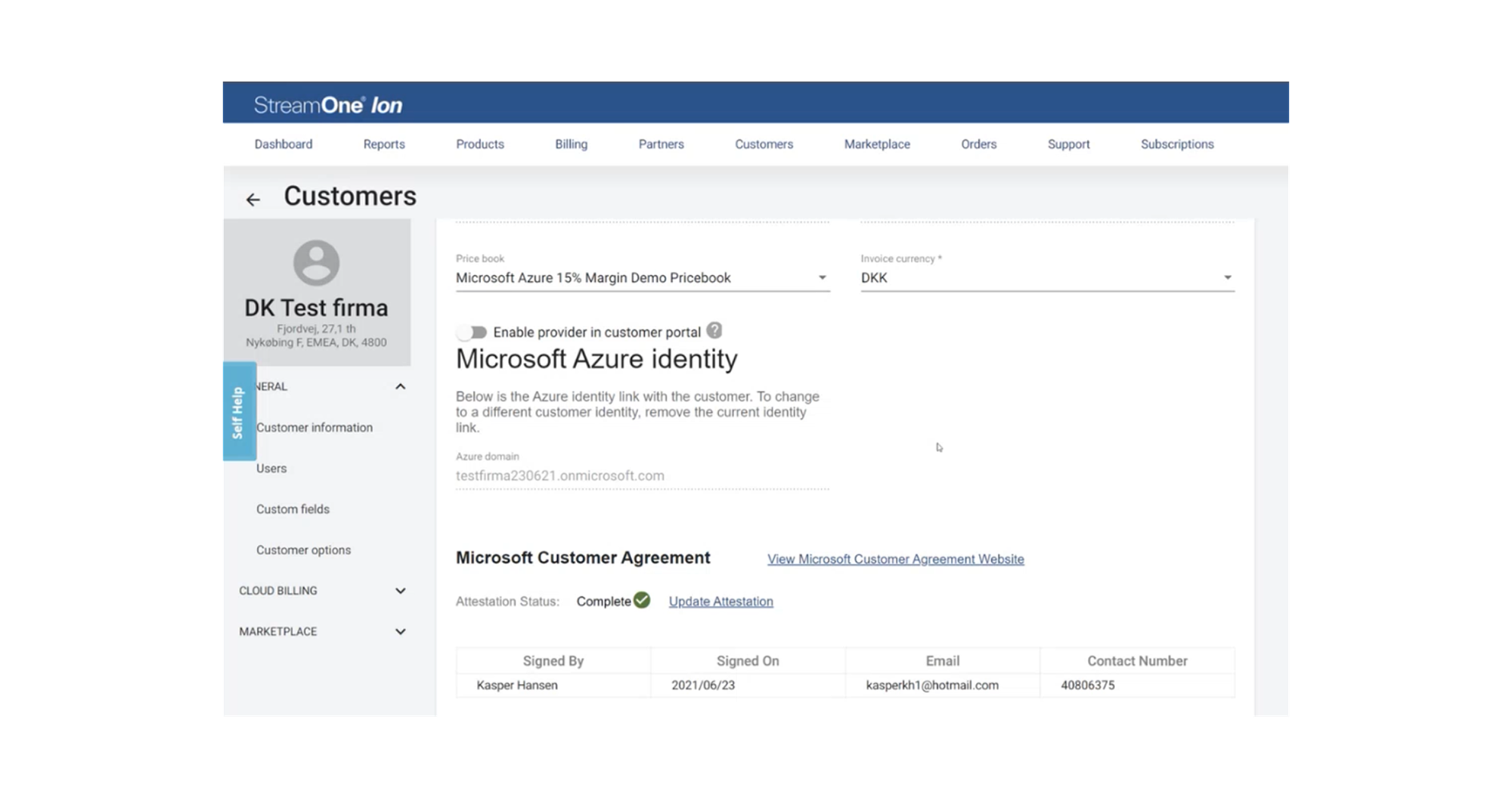
Move tenant management out of the buying journey.
The team aimed to simplify checkout while supporting the complete set of tenant administration needs in a dedicated experience.
Microsoft agreements
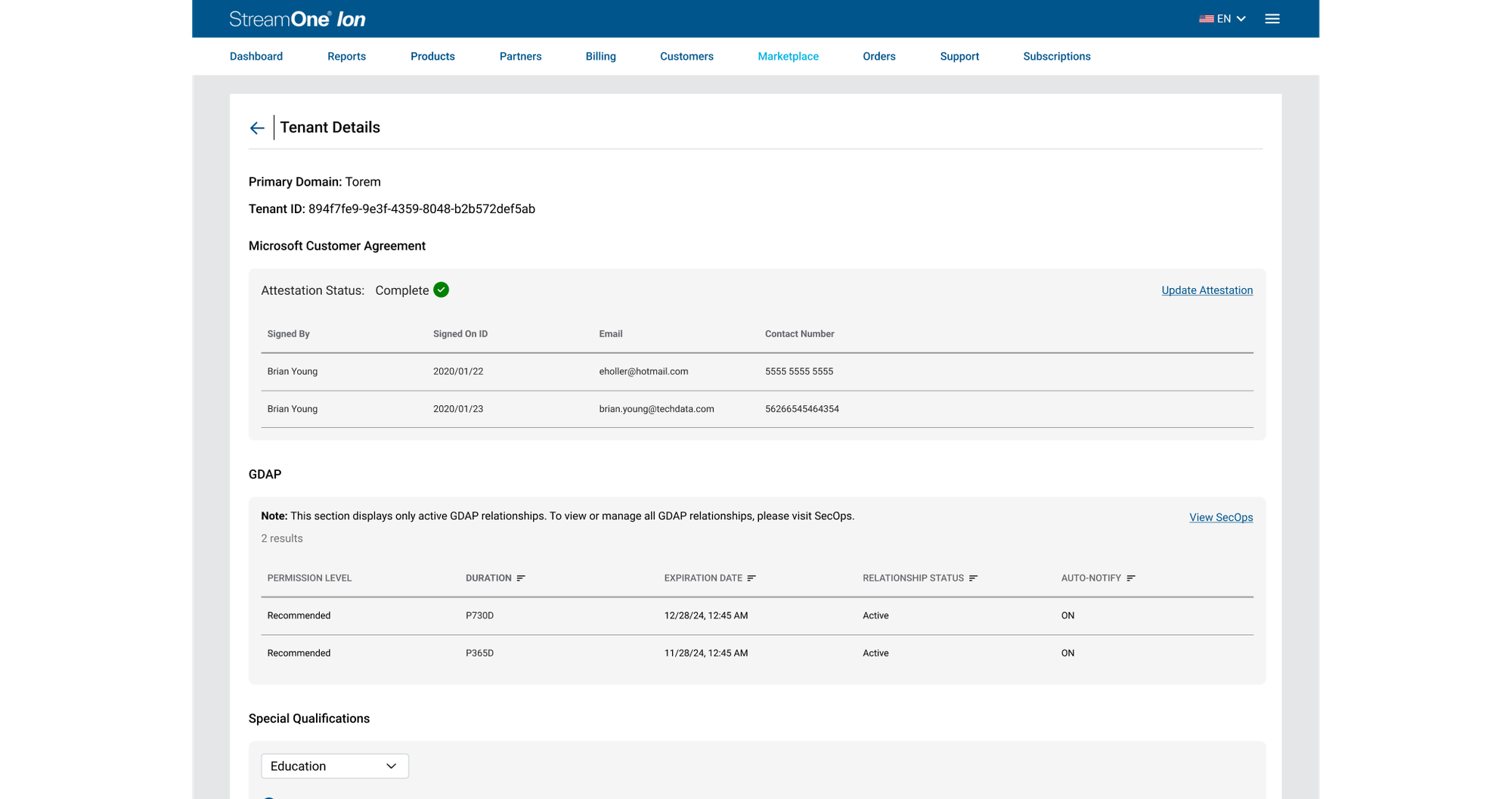
Update the Microsoft Customer Agreement (MCA).
GDAP access
View existing relationships and generate new GDAP links.
Customer context
Access Microsoft ID, tenant domain, billing profile, and special qualifications including education and state-owned entities.
Explore the right home—and the right sequence.
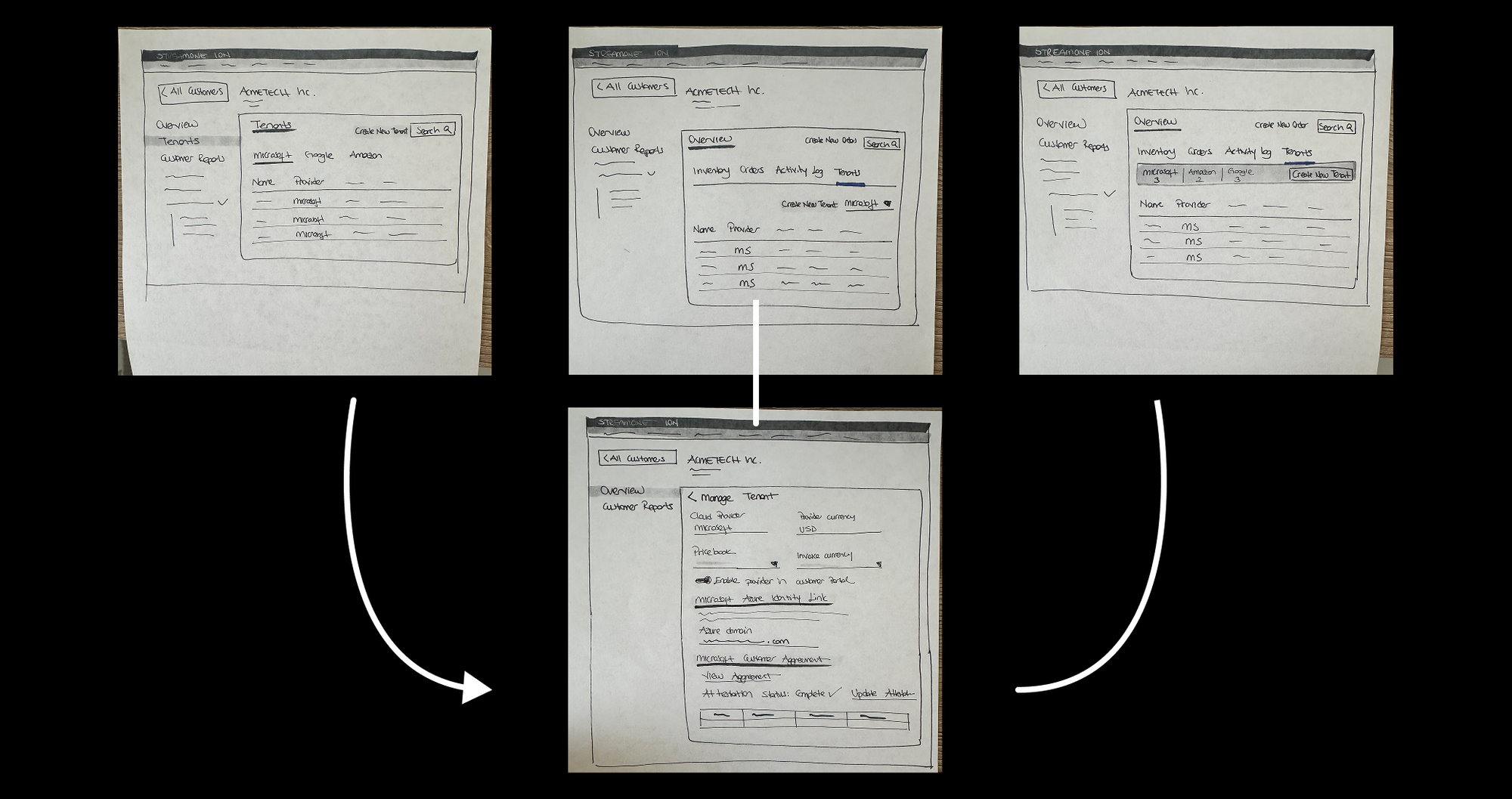
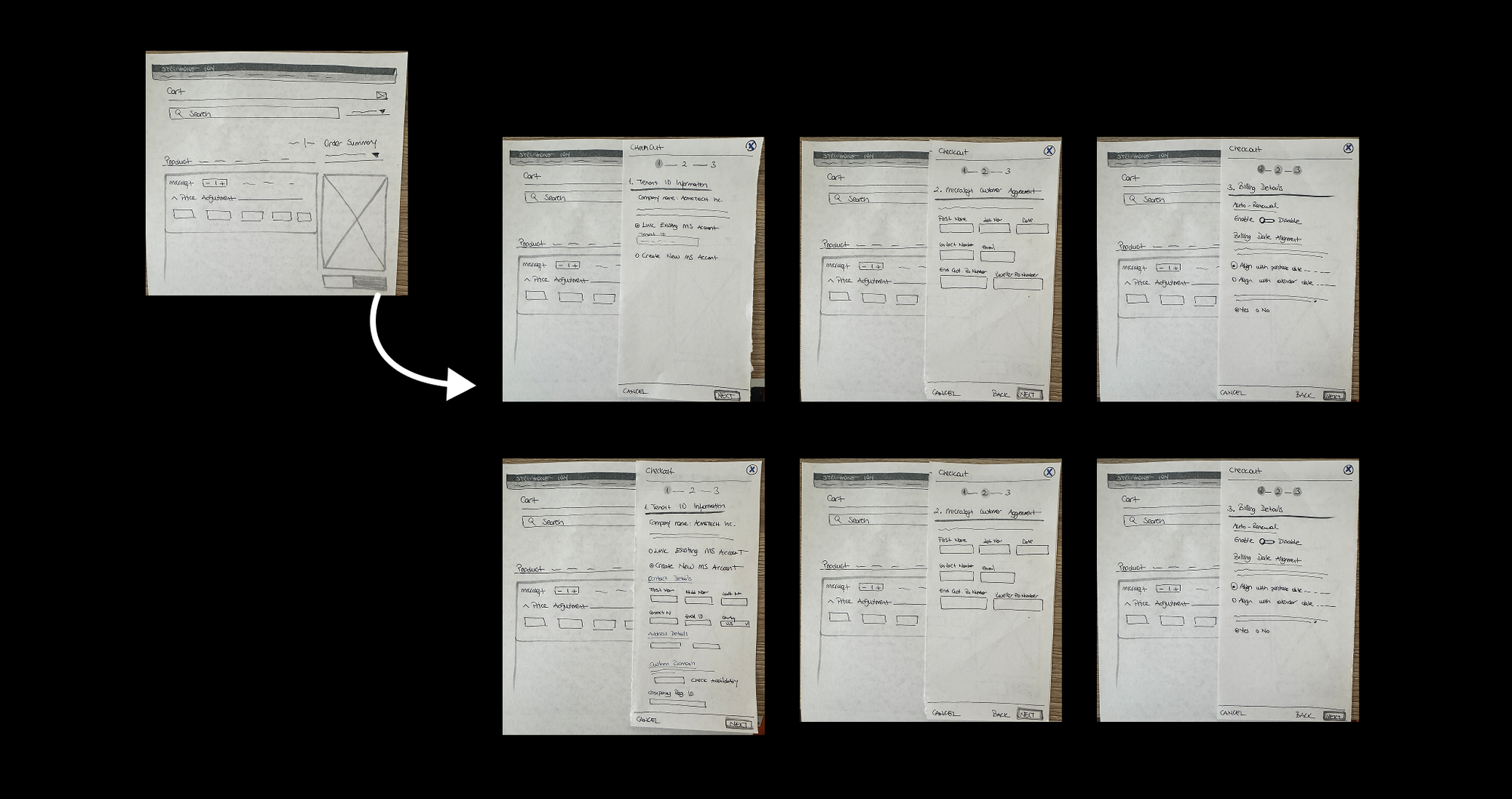
I started with paper wireframes to test alternative navigation structures and workflow sequences. One set explored tenant management within the customer experience; another explored a step-based checkout configuration flow.
Key design decision
After discussing the concepts with the product manager and development team, we aligned on moving tenant configuration into the Customer Overview under a dedicated Tenants tab, rather than relying on checkout as its primary home.
Give tenants a visible, organized home.
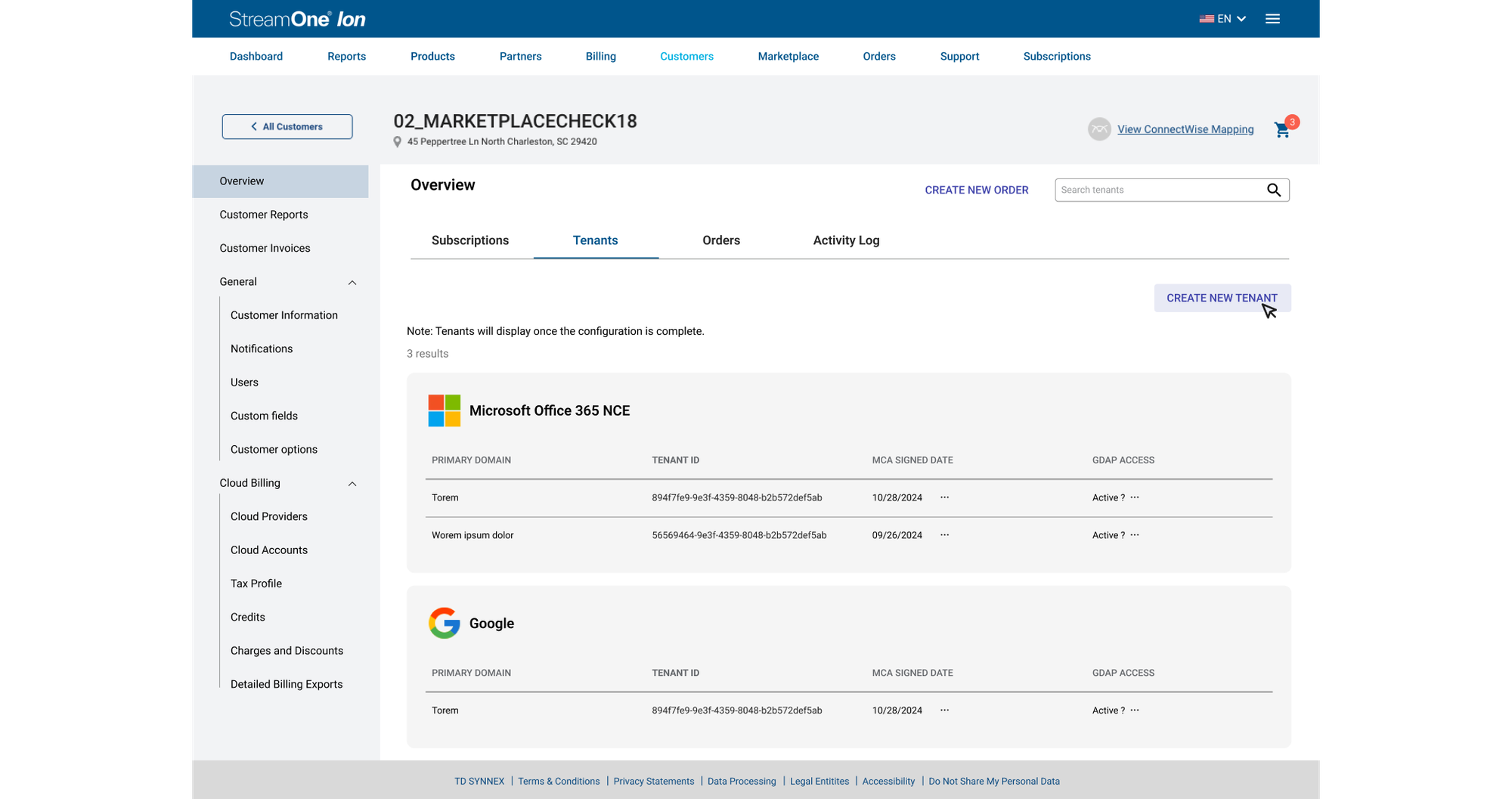
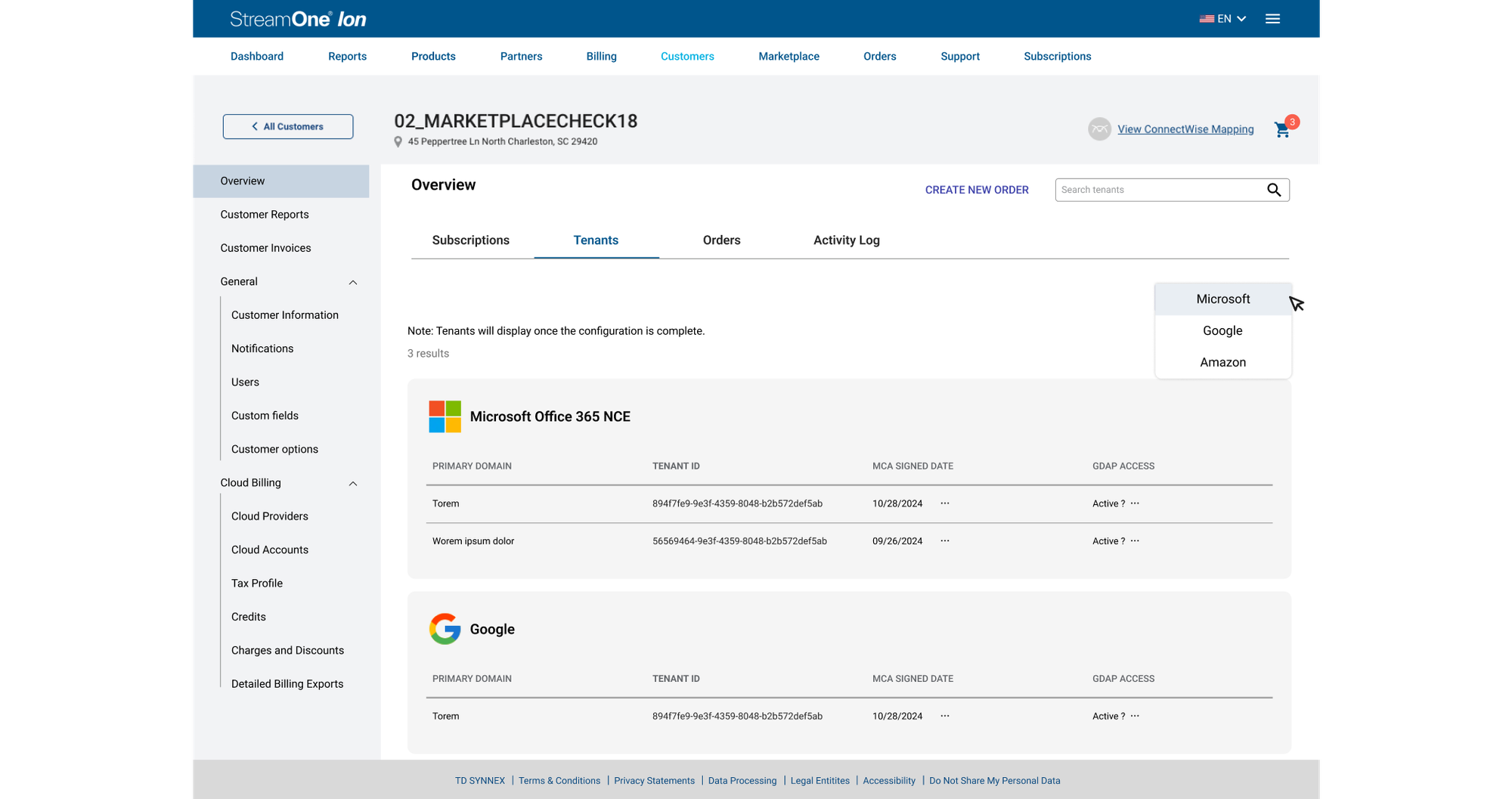
The approved design introduced a Tenants tab alongside Subscriptions, Orders, and Activity Log. The overview surfaced primary domain, tenant ID, MCA signed date, and GDAP access, with search and provider selection to support finding tenant information.
Make account setup and validation easier to understand.
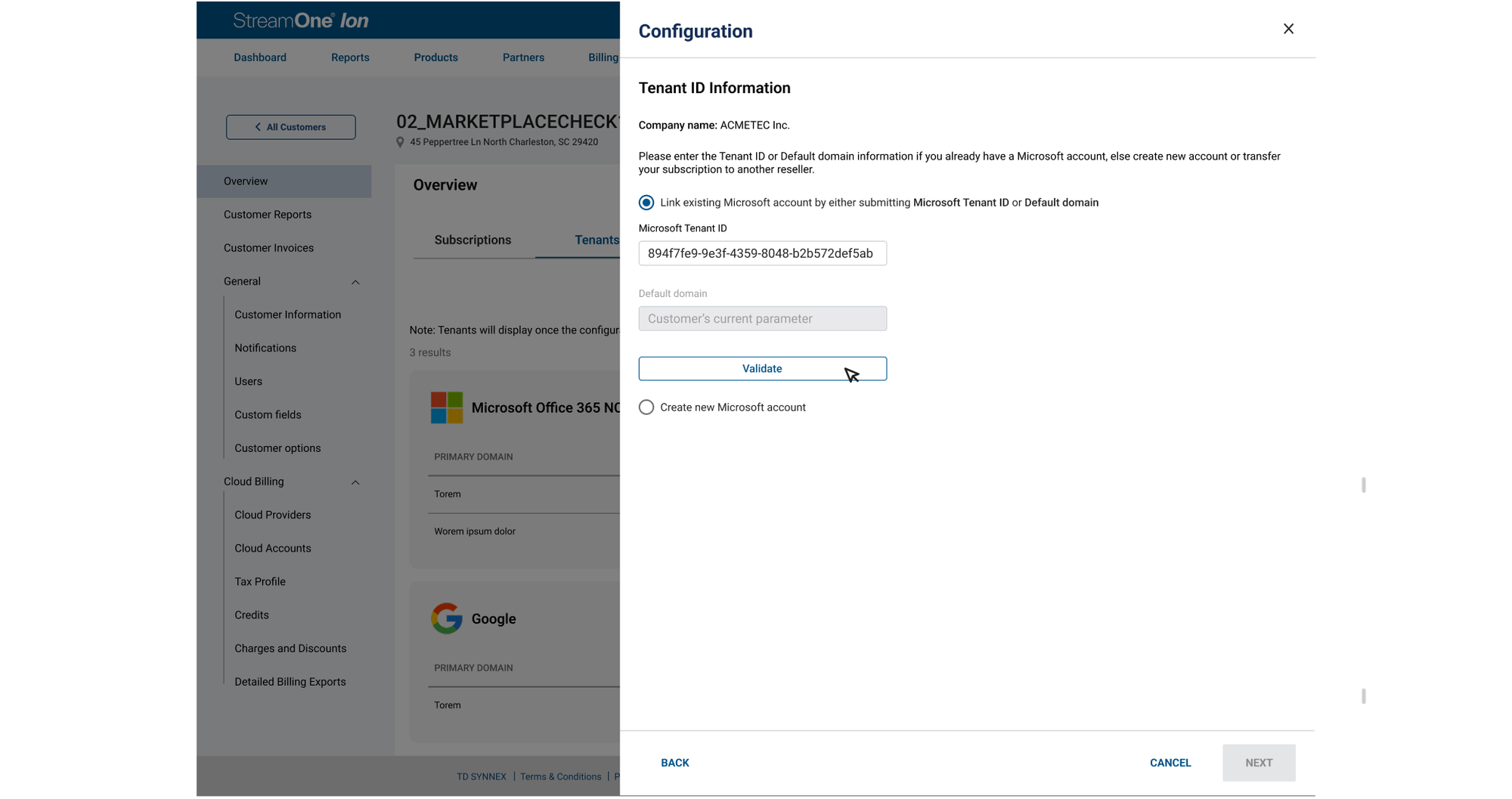
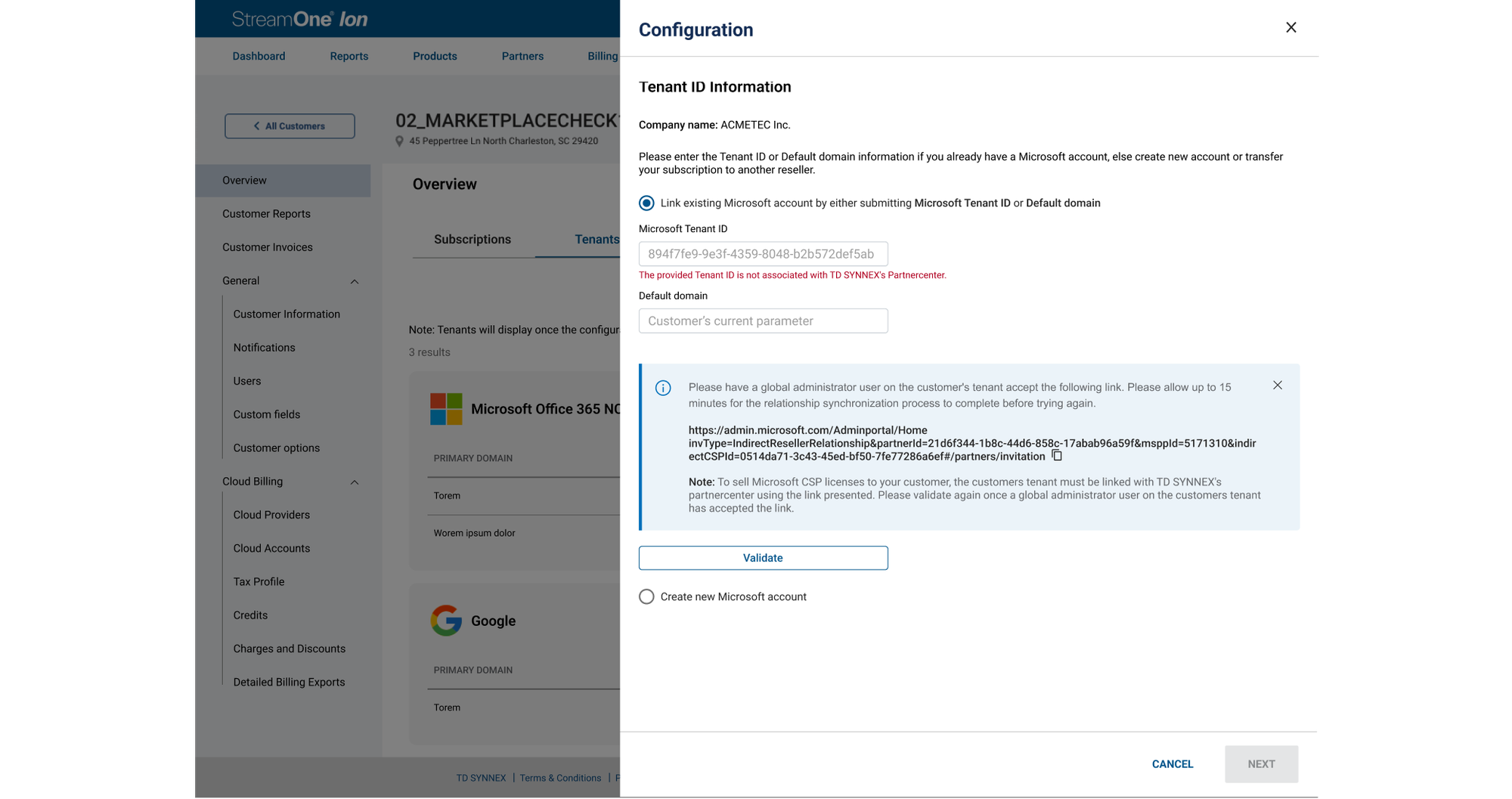
The approved configuration flow distinguished linking an existing Microsoft account from creating a new one. Users could enter a tenant ID or default domain, validate the account, and receive contextual feedback when a required partner relationship was missing.
A dedicated tenant experience, implemented and released.
The Tenant Enablement feature was implemented and released within StreamOne. It separated tenant management from the purchasing flow and delivered the planned MCA updates, GDAP management, customer information, and special qualification capabilities.
Shipped
Approved designs were handed off to development and the feature was released.
Reorganized
Tenant administration gained a dedicated location in the Customer Overview.
Positive feedback
The team received positive qualitative feedback from users after release.
Sometimes the most important design change is where a task belongs.
This project reinforced the value of stepping back from individual forms to consider the full user journey. By separating purchasing from tenant administration, we addressed a structural source of complexity while keeping related information and actions together.
These screenshots document the existing experience and approved handoff designs; they are not presented as pixel-for-pixel screenshots of the released implementation.