TD SYNNEX · Learning platform
Practice Builder
Designing a personalized learning experience that helps technology partners find relevant content, understand their learning journey, and keep moving forward.
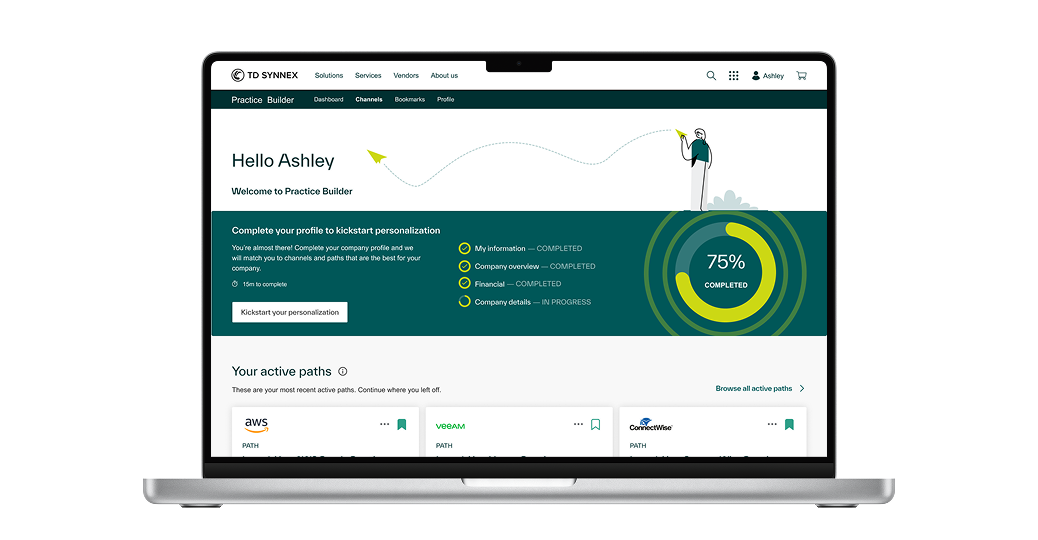
From discovery to continued learning
Practice Builder is a TD SYNNEX learning platform for technology partners developing capabilities in areas such as cloud, security, and data. The project included a public marketing website and an on-demand learning platform.
My work connected these experiences: helping prospective users understand the offering, then helping registered users discover learning paths and continue their progress.
Finding the right course is only half the problem. Continuing it is the other half.
Technology partners arrive with different backgrounds, capabilities, and business goals. The experience needed to make relevant learning easier to discover, explain the time commitment, and help people return to unfinished work in a self-paced environment.
Find a starting point
Make recommendations relevant to each user's context and goals.
Understand the journey
Organize complex content into clear learning stages and activities.
Keep momentum
Make progress visible and the next action easy to find.
Understand, align, explore, validate
I joined after some initial research had been completed. I explored the legacy platform, reviewed available research and user feedback, and contributed to product requirements for improving workflows and introducing new capabilities.
I took concepts from paper sketches to wireframes, high-fidelity designs, and interactive prototypes. I also joined follow-up conversations with users and stakeholders to review flows and concepts.
Collaborative product definition
In FigJam sessions with business stakeholders, we explored how learning content should be organized. We agreed on a four-level structure, which was reviewed and validated by business stakeholders.
Start with the user's context
I designed a guided introduction that explains why personalization matters, sets expectations about the time required, and collects information about the individual and their organization.
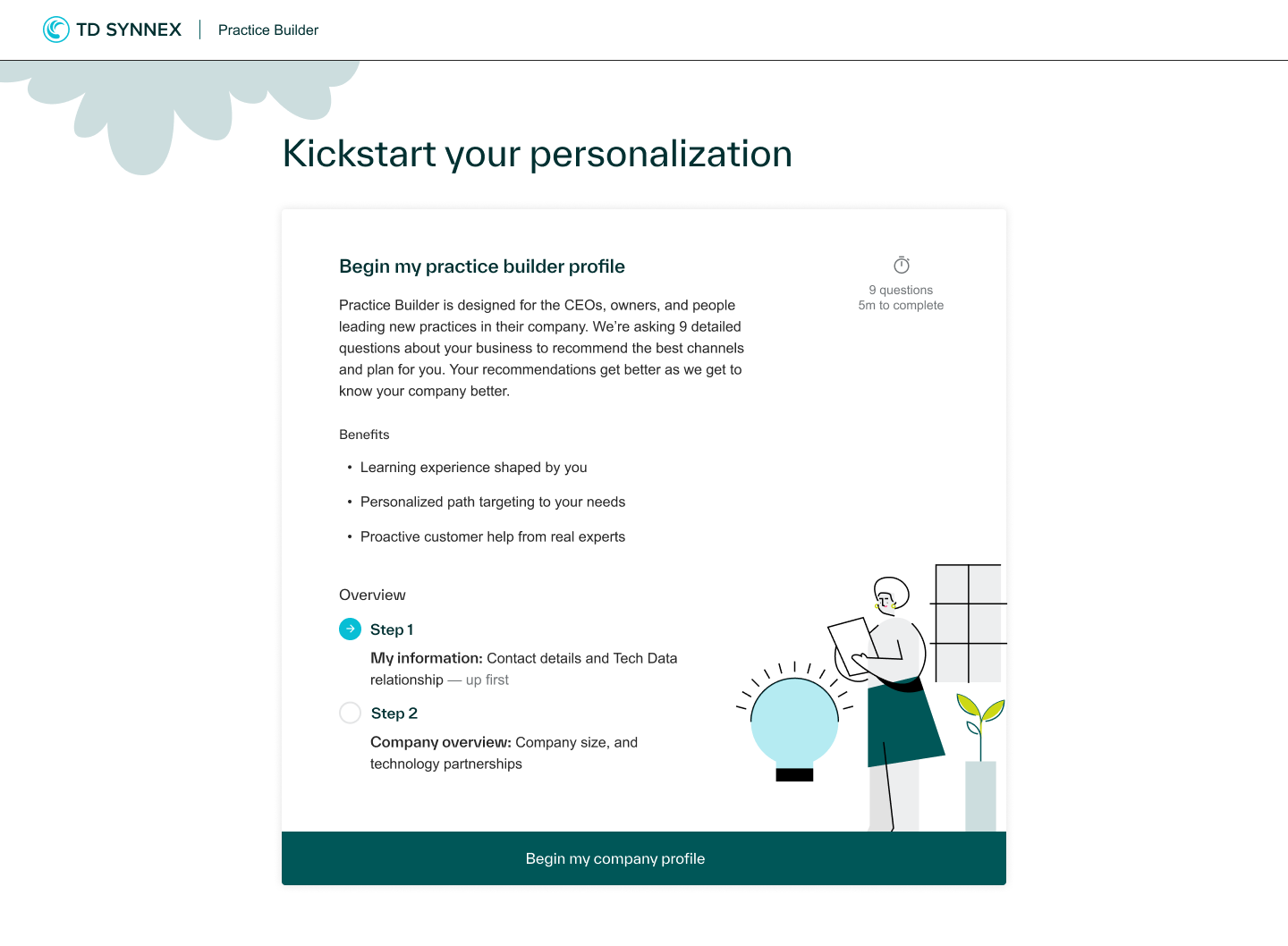
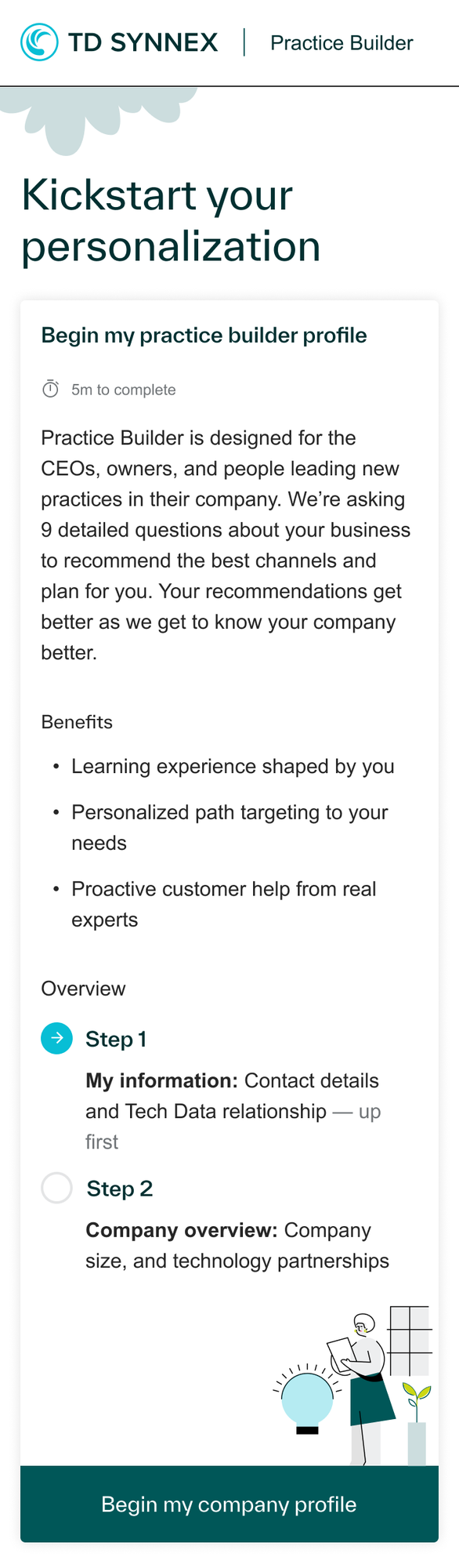
Design decision:
Let users begin exploring the platform while encouraging them to complete additional profile information for more relevant recommendations.
Make the next step obvious
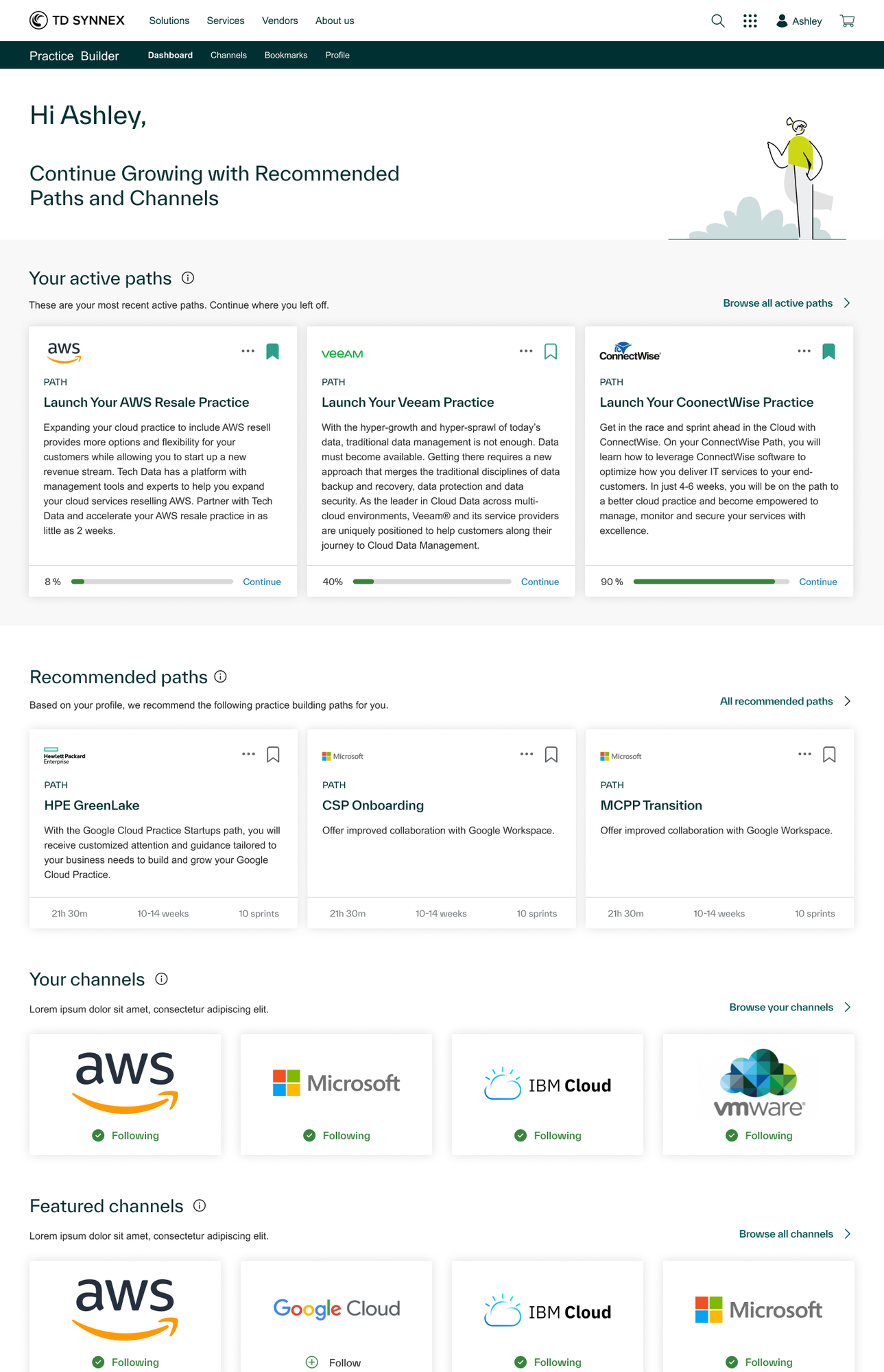
The dashboard balances discovery and continuity. Active paths help users resume where they left off; recommended paths introduce relevant opportunities; followed channels keep their interests accessible.
Resume
Progress bars and Continue actions make unfinished paths easy to revisit.
Evaluate
Durations, timelines, and sprint counts clarify what a new path requires.
Explore
Bookmarks and followed channels support discovery beyond initial recommendations.
Give learning a clear structure
Working with business stakeholders, I helped define the learning hierarchy and translated it into navigation, expandable sprint sections, and activity-level experiences.
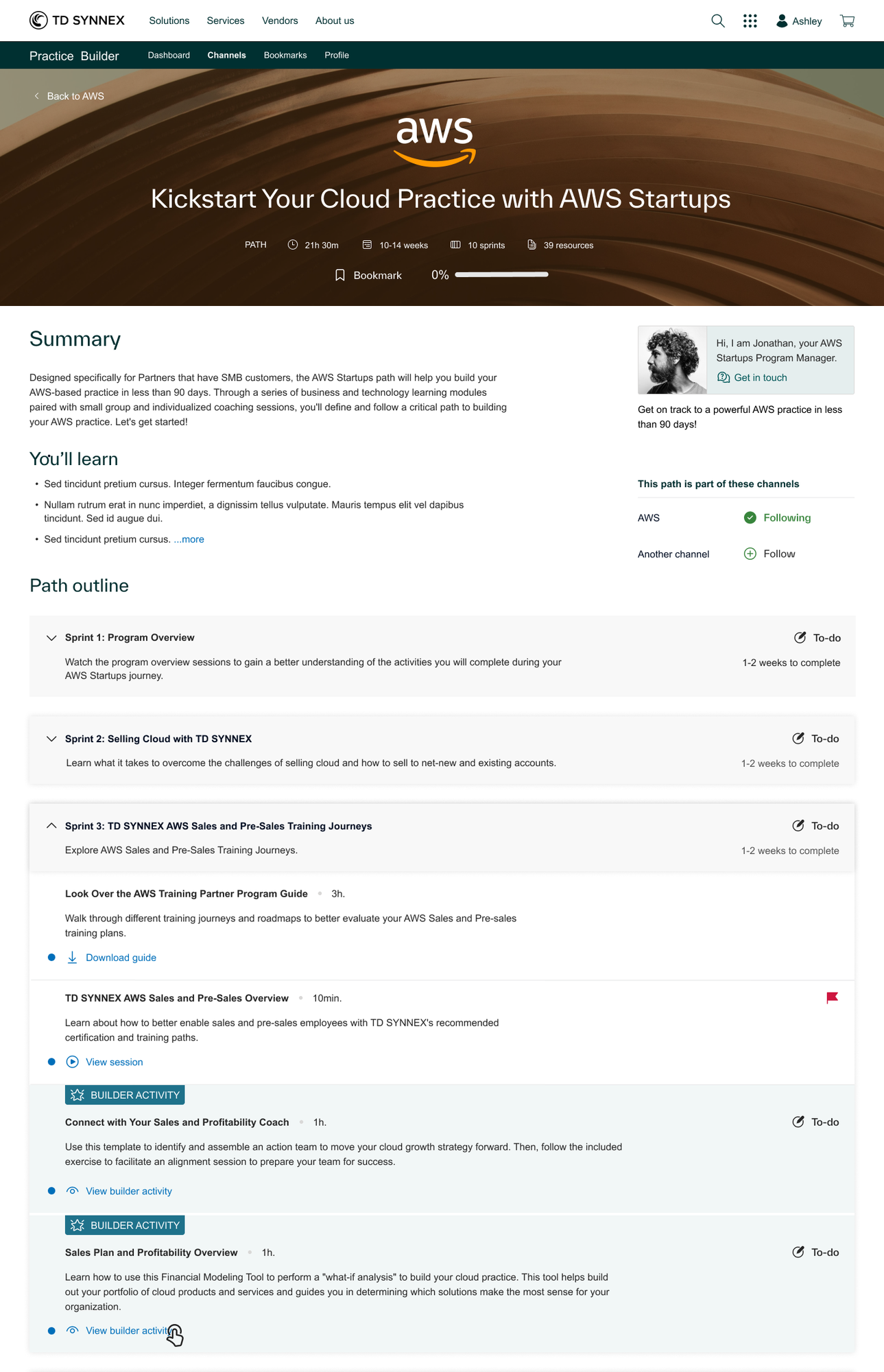
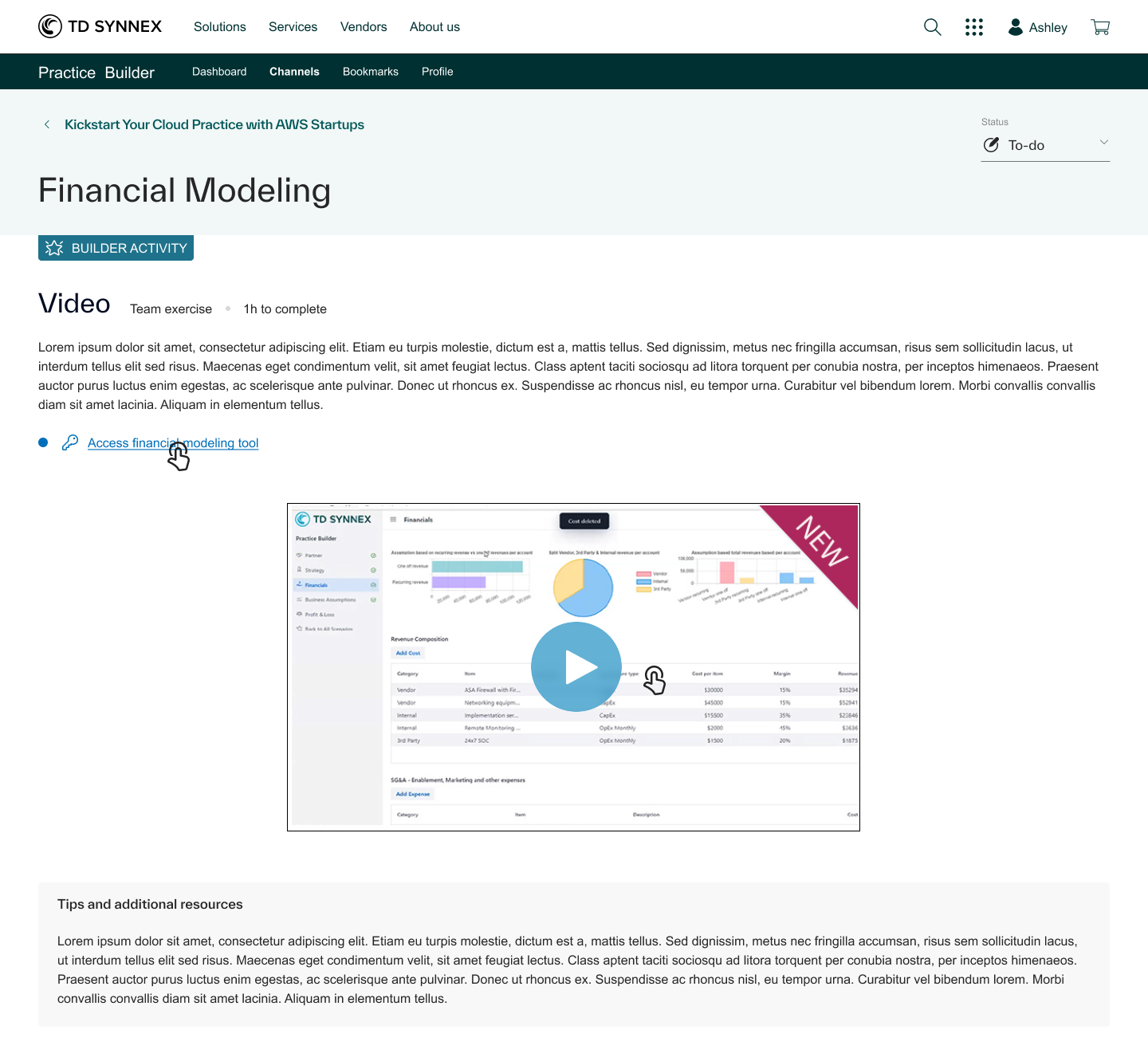
The hierarchy was reviewed with business stakeholders. The available materials do not establish measured learning or engagement outcomes.
Explore beyond recommendations
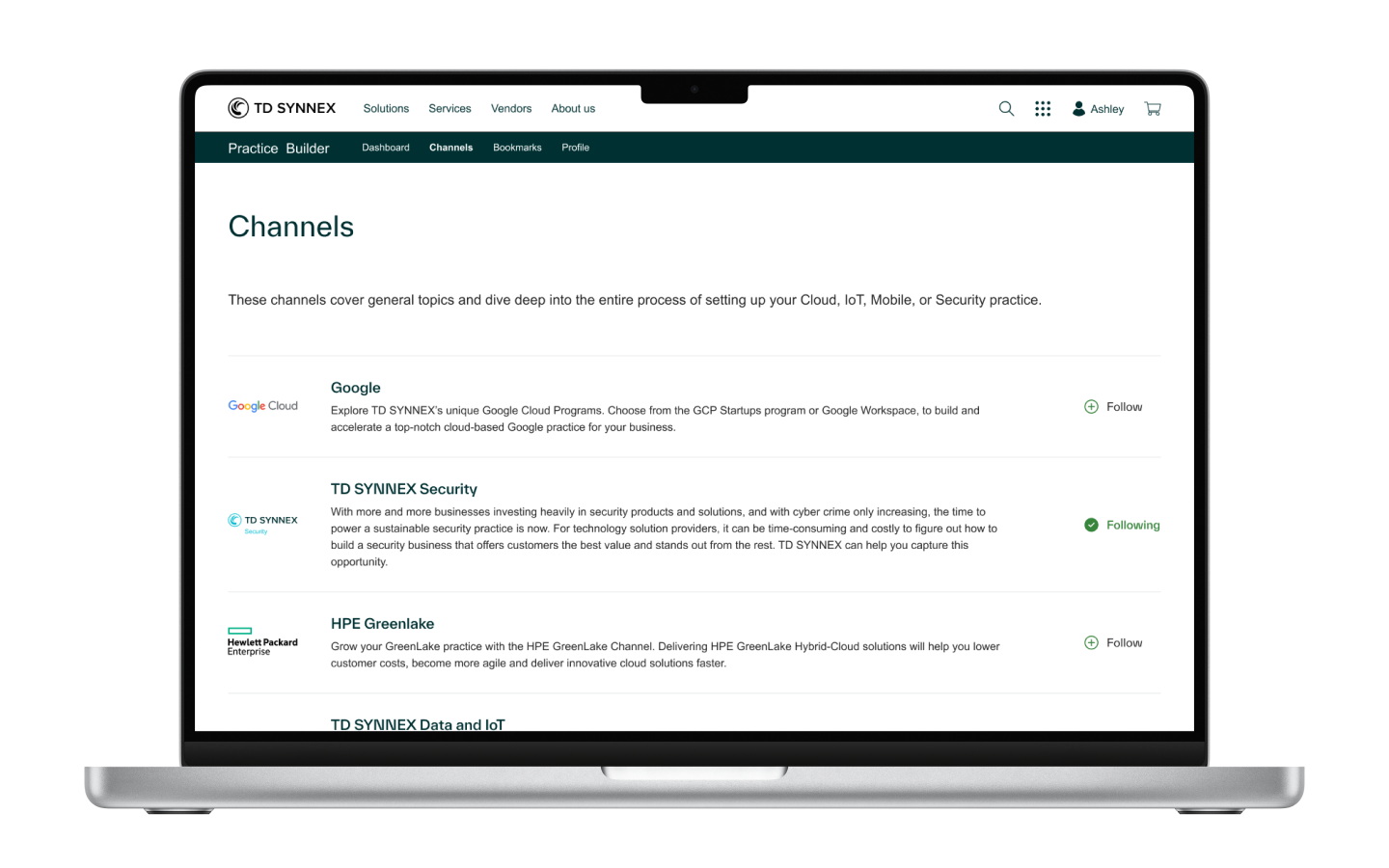
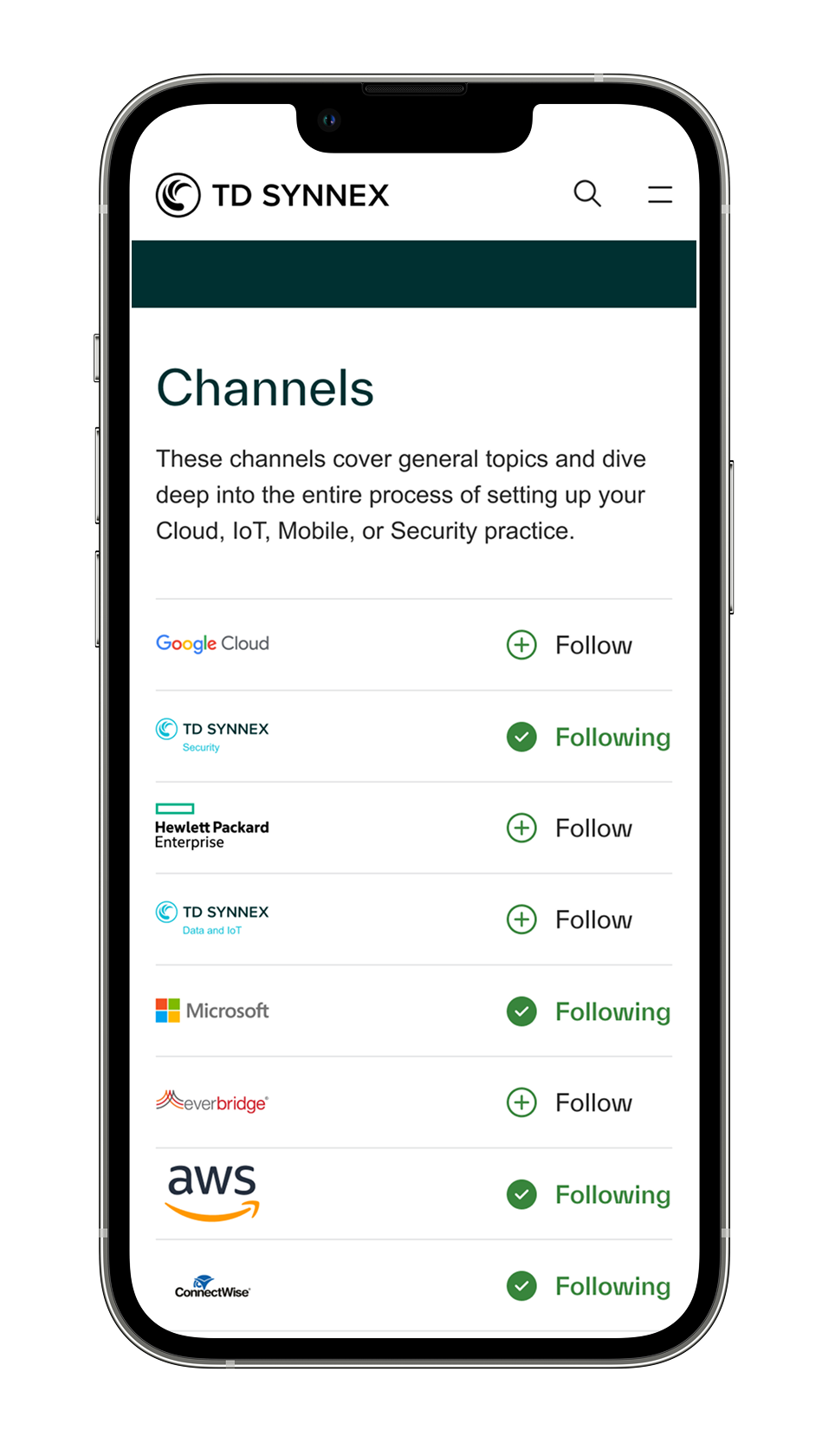
The Channels area gives users another way to find learning opportunities. On desktop, entries include detailed descriptions; on mobile, the list emphasizes recognizable partner identities and follow actions.
Explain the value before sign-up
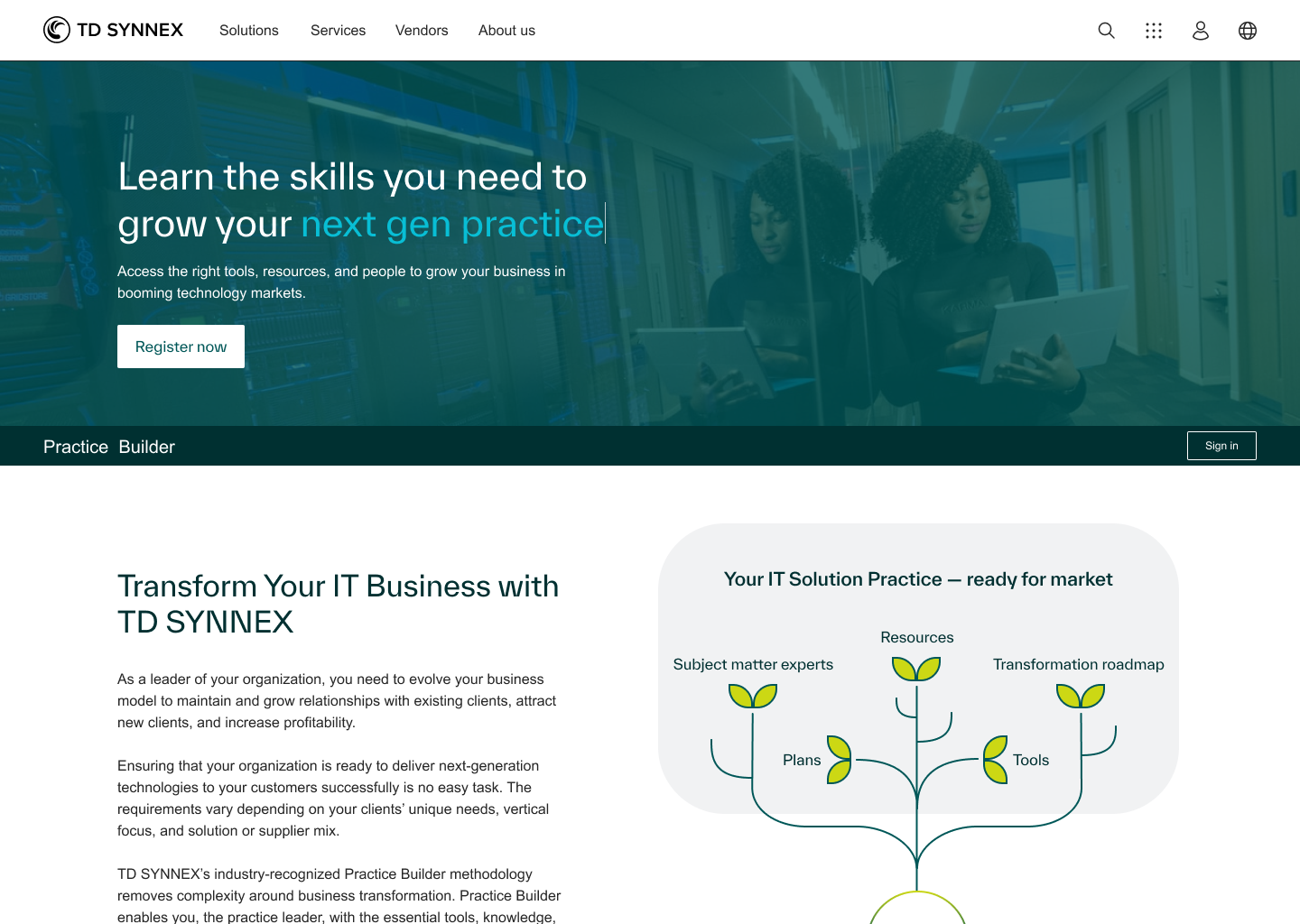
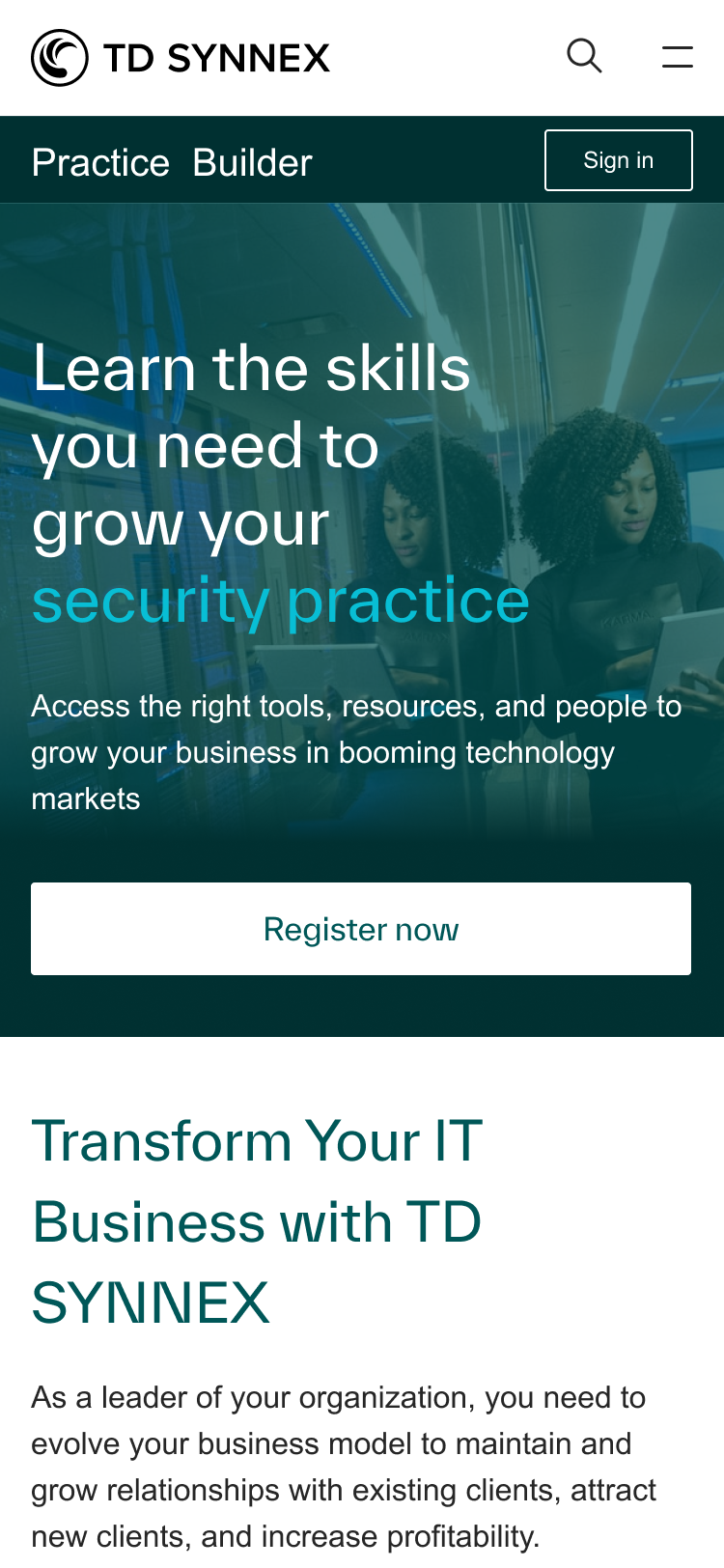
The business team provided the content. I proposed its order and designed how it would be presented—moving from the value proposition to how the platform works, available offerings, participation options, and registration.
Designing for what happens after discovery
Practice Builder reinforced that a useful learning experience needs more than a searchable catalog. It must help people understand what is relevant, what a commitment involves, and how to continue over time.
My contribution spanned defining requirements, collaborating on the learning structure, and designing the connected experiences—from the public introduction through personalized discovery and individual learning activities.
This case study documents design work and intended user benefits; no unverified adoption, completion, or business metrics are claimed.